
How to Search Cases by Name
Go to the official Search ARCourts public portal and pick participant search. Type the legal spelling of the name as exactly as you can. A last name alone works. You can add a first or middle name, but stacking too many guessed fields may bury the right Pulaski County result. For a business or a caption search, use Organization or Case Description instead.
- Choose participant search in Search ARCourts.
- Enter a last name, then add first or middle name if needed.
- Select PULASKI CIRCUIT when seeking a Circuit case.
- Add case type, status, or date only to narrow a broad result set.
- Open a match and verify the court, filing date, parties, type, and status.
Common names take extra care. A similar name is never a confirmed match. Before trusting a hit, compare the case number, the court, the participant role, the year, and the case type.
| Field Label | Type | Required | Format or Use |
|---|---|---|---|
| First Name | Text | Optional | Participant search |
| Middle Name | Text | Optional | Useful for narrowing common names |
| Last Name | Text | Optional by mode | Use the legal docket spelling |
| Organization or Case Description | Text | Optional | Entity or caption search |
| Court | Filter | Recommended | Select PULASKI CIRCUIT for Circuit matters |
| Case Type, Status, Date | Filters | Optional | Add only when needed |
Pulaski Search ARCourts Fields
Search ARCourts offers participant and case-information modes. Filters cover court, case type, status, and dates. Results and detail areas can be sorted or expanded. No filing account is required. The public interface stands apart from eFlex, CourtReview, and internal Contexte workspaces. Those exist for filers and court staff rather than public case lookup.
Choosing PULASKI CIRCUIT is one of the highest-value steps. Pulaski and Perry counties together form the Sixth Judicial Circuit. The same name can appear elsewhere in Arkansas. A court filter narrows you to the right system. It does so without assuming the case is open or guessing the type too soon.
Note: Court and case number filters improve Pulaski case lookup precision more reliably than several guessed participant details.
How to Search by Case Number
A Pulaski Circuit case number tells you the court and the broad case type. Take 60CR-25-3077: 60 is the Pulaski county code. CR marks a criminal case. 25 is the filing year, and the final group is the sequence. Civil numbers use the pattern 60CV-YY-sequence. Probate, domestic-relations, and juvenile cases carry other designators.
Enter the number you have in case-information mode. Then check that the court and type returned make sense. A District Court citation or local case may carry a different prefix. Never rewrite it to fit the Circuit pattern. Use the exact number from the notice, order, citation, or clerk.
Pulaski Case Code Meanings
Treat the prefix as a routing clue, not a result. 60CR steers you toward the Pulaski Circuit criminal docket. Meanwhile 60CV points to Circuit civil. Local examples include LRTR for Little Rock traffic and PCS for Pulaski County small claims. These lower-court codes do not guarantee full Search ARCourts coverage.
- 60
- Pulaski County's code in a Circuit case number.
- CR
- The broad Circuit criminal marker.
- CV
- The broad Circuit civil marker.
- Filing year
- The two-digit year segment after the case-type code.
- Sequence
- The final number assigned within the filing series.
If the prefix and the named court conflict, stop and confirm with the clerk. The official court heading controls the record system.
What a Case Search Shows
A Pulaski County case lookup opens with a Case Summary. It can go well beyond that. Participants, future events, offenses and sentences in criminal matters, chronological docket entries, and milestone tracks may all appear. Read the roles, not just the names. A listed participant might be the judge, plaintiff, State, defendant, or petitioner. It could also be a lawyer, public defender, prosecutor, or bond company.
| Case Summary | Case number, filing date, court, case type, and status. |
|---|---|
| Participants | Name, type, alias, and role association where displayed. |
| Case Events | Date, time, event, room, location, and judge. |
| Docket Entries | Filing date and time, description, detail, name, and Documents value. |
| Offenses and Sentences | Separate criminal blocks for charges, outcomes, and sentence data. |
A CASE CLOSED label is not the disposition. A blank event area does not prove no notice was filed. Read the full Pulaski docket detail.
Pulaski Case WEB Document Links
The Documents column sometimes shows WEB for a public image. Opening that link can be affected by pop-up settings, especially in Safari. Allow the official portal domain instead of disabling browser protection everywhere. When the column reads None, the docket entry still exists; there is simply no public web image linked to it.
Use the entry date, description, and case number to request the exact document from County Records. The public search is free. A certified Pulaski Circuit document is a separate $5 product, delivered by pickup or postal mail, never email. Do not call the free case result certified.
Pulaski Legacy Search Transition
Search ARCourts began replacing legacy Public CourtConnect with a January 2024 soft release. During the migration, the old Public CourtConnect landing page still offers useful context.
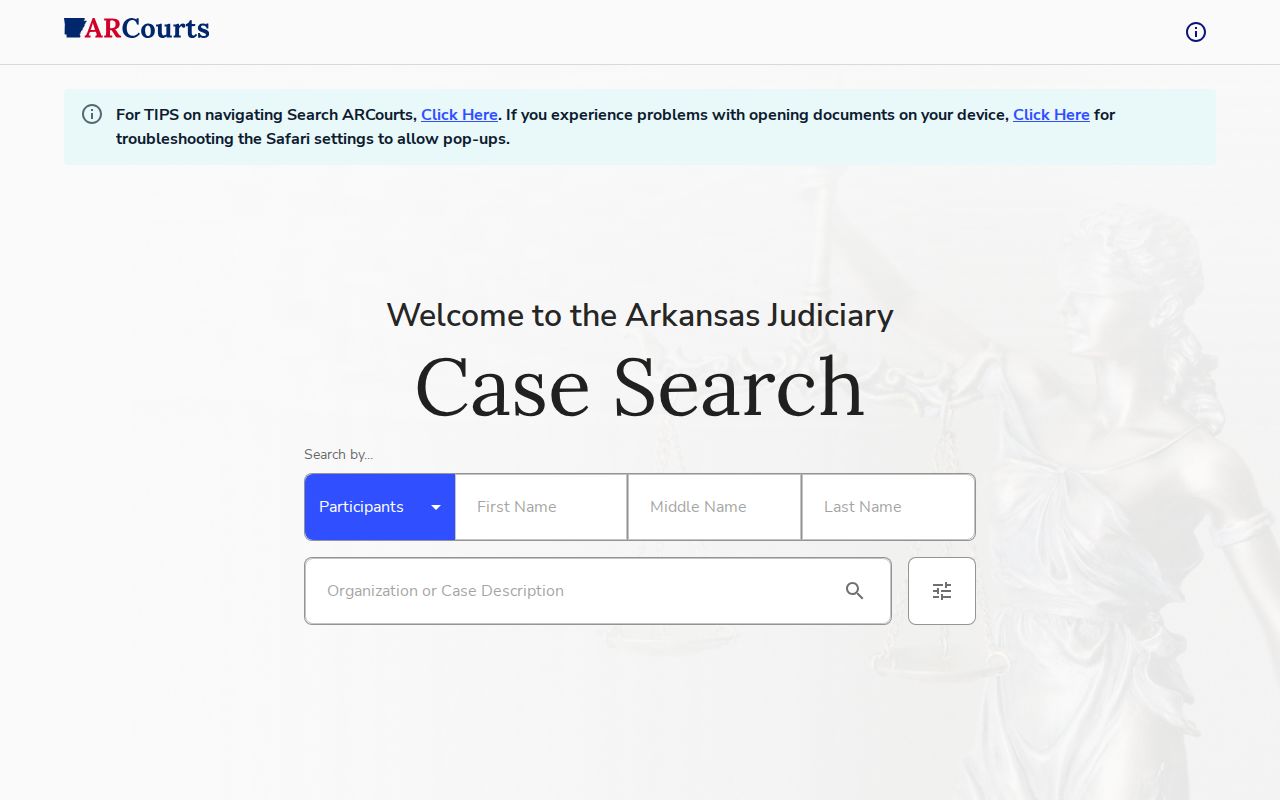
The current public search reads case information from Contexte. Every Circuit Court provides at least Administrative Order 8 statistical information. Most Contexte Circuit Courts offer fuller public case detail, and only some District Courts participate. So an old bookmark or a no-result screen should send you back to the current portal. It should also send you to the correct clerk. It is not grounds for a broad conclusion.
County vs Statewide Case Search
Pulaski County runs no separate full county docket database. Search ARCourts is the statewide public layer covering Pulaski Circuit and participating lower courts. The county layer means the Pulaski Circuit and County Clerk's service channels. It also means the independent District Court clerks. Those offices supply records, help identify the file, and confirm coverage gaps.
| Channel | Best Use | Limit |
|---|---|---|
| Search ARCourts | Free statewide search and public case summaries | District participation and web images vary |
| Pulaski Circuit clerk | Existing Circuit case help, copies, certification | Does not keep every local District docket |
| District Court clerk | Traffic, ordinance, misdemeanor, civil, small claims | Separate department-specific access |
With one known local case, start from its court and number. If the court is uncertain, search statewide, then follow the number and court label to the proper clerk.
Pulaski No-Result Diagnosis
A no-result screen can mean many things: wrong court, spelling mismatch, excessive filters, old non-digitized material, incomplete District Court participation, a restricted case, or a short processing lag. Strip out guessed filters first. Try the exact case number. Then ask the clerk whether the file sits in Circuit Court, a city or county District Court, juvenile court, or an archive.
- Clear status and date filters.
- Verify PULASKI CIRCUIT or the named District Court.
- Try the exact case number and docket spelling.
- Call Court Clerks at 501-340-8431 for an existing Circuit case.
- Call County Records at 501-340-8766 for an unlinked or older Circuit document.
Clerks explain access steps; they cannot unseal content or give legal advice.
Pulaski Search Data Context
The Arkansas Judiciary statistical supplement provides official court-data context.
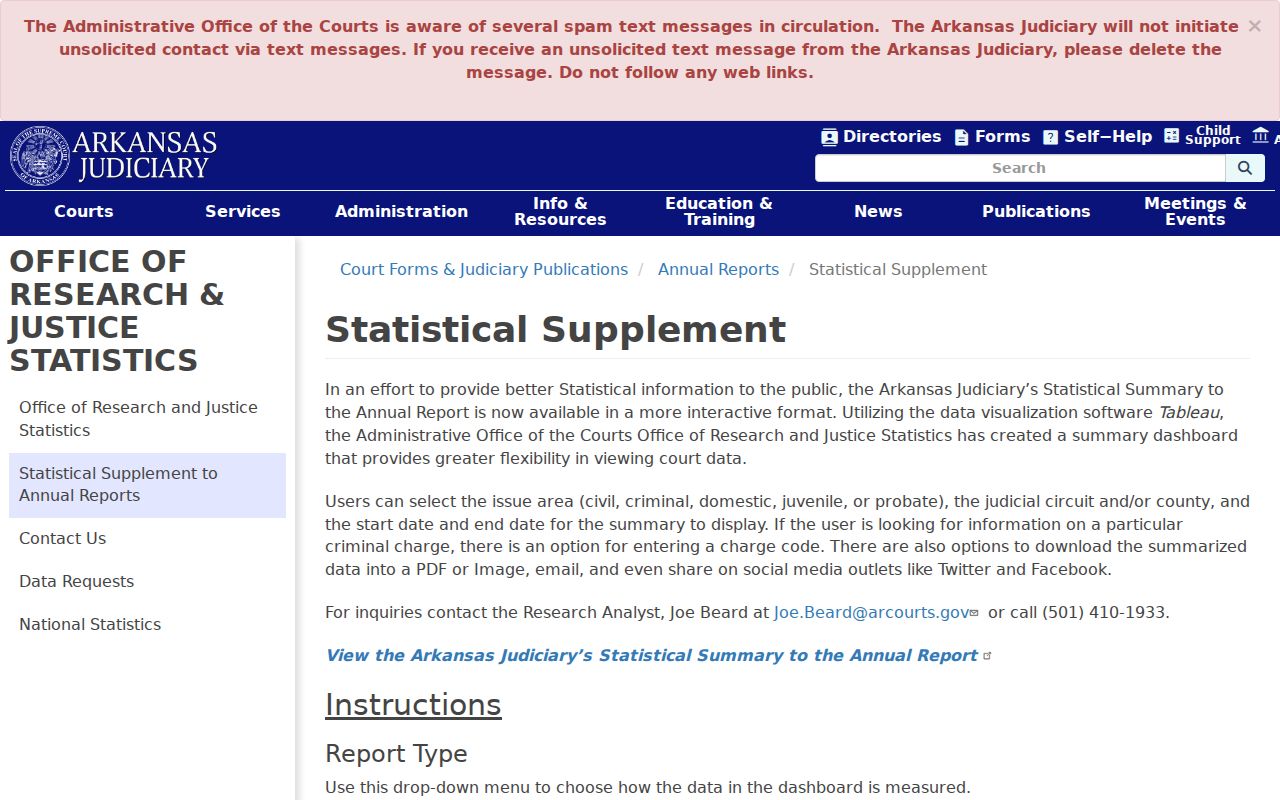
A statewide total is not a Pulaski figure. It mixes every county together. Apply the Pulaski filter, an issue area, and a date range before quoting any number. Skip that step and statewide filing volume gets passed off as a county total. An individual case is different. It still must be identified through its case number, court, participants, and docket. Aggregate court data measures workload, while Search ARCourts finds one public case record.
Pulaski Free Search and Certification
Finding a case and proving it are different jobs. Search ARCourts locates the public Pulaski case. A WEB image may even read clearly. Certified proof comes from County Records, which issues a certified document bearing the clerk's seal for $5. Pickup or mail only. Email is not an option. Give the office party names, the case number, a document description, and return information.
Mail orders need the clerk's required payment details too. A filing missing online may still exist as paper, an imaged copy, microfilm, an archived file, or a restricted one, so ask which. When the task shifts to obtaining a specific filing, use the Pulaski County court record search.
Restricted Cases and Access Rules
Administrative Order 19 blocks public access to court records made confidential by law. Confidentiality can also come from rule or court order. Sealed or expunged case data is excluded. So are protected identifiers, judicial work product, and certain addresses. Juvenile and adoption records can be closed. Sensitive family filings may stay limited even when a public case shell exists. Internet access can be narrower than what the courthouse itself allows.
No public result does not prove no case exists. Check the court, search terms, age of the file, District Court coverage, and legal restrictions with the responsible clerk.
Court records answer to the Arkansas Judiciary access rules. The Pulaski County FOIA portal suits administrative government-office records, yet it cannot lift a judicial seal or a confidentiality order.
Pulaski County Case Search Filters
Filters narrow a Pulaski County case lookup. They should not define it before the record appears. A guessed CASE OPEN status can hide a closed matter with later post-judgment entries. A guessed case type can miss a special proceeding. A tight filing-date range can drop an older case with a new event. Start with the number or a sound name search and PULASKI CIRCUIT. Add one filter at a time, then clear it if the expected result disappears.
Search ARCourts also expands and collapses detail blocks. Those controls let you compare offenses, sentences, events, and docket entries. A collapsed block is not empty. The docket search results are most useful when you understand both the filters and the display state.